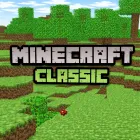
Minecraft Classic









Minecraft Classic brings players back to the roots of sandbox creativity. Stripped of complex systems and survival pressures, this version offers a pure building experience where experimentation takes center stage. There are no enemies to fight, no health bars to manage, and no crafting trees to memorize. Instead, you’re given a compact world and complete freedom to shape it however you like.
Core Creative Loop
Explore → Break → Place → Redesign
You begin by walking through a compact world filled with varied terrain. Hills rise in the distance, caves cut through the ground, and oceans stretch toward visible boundaries. Every block you see can be removed instantly, allowing you to reshape the landscape in seconds.
Want to flatten a hill?
Build a tower to the sky?
Carve a tunnel through a mountain?
It's up to you!
Controls
Movement & Camera
- Mouse: Look around
- WASD/Arrow Keys: Move
- Spacebar: Jump
Building & Interaction
- Left Click/Right Click: Place or remove blocks
- B Key: Open the build menu
- F Key: Toggle fog
Who Should Play Minecraft Classic?
Creative Players
If you enjoy building without pressure or limits, Minecraft Classic delivers a focused environment for pure construction. It’s ideal for players who want to experiment freely without survival mechanics interfering.
Educators and Beginners
Thanks to its straightforward controls and simplified mechanics, this version works well as an introduction to sandbox games (besides Animal Craft and Sprunki Minecraft). Educators can use it to teach spatial design, planning, or creative problem-solving in a safe, distraction-free setting.
Fans of Retro Browser Games
Minecraft Classic also carries nostalgic appeal. Its minimalist interface and early-game mechanics capture the essence of classic browser gaming, offering a refreshing contrast to more feature-heavy modern titles.
Step in, start placing blocks, and see what your imagination can create!