Snake Arrow Mode

















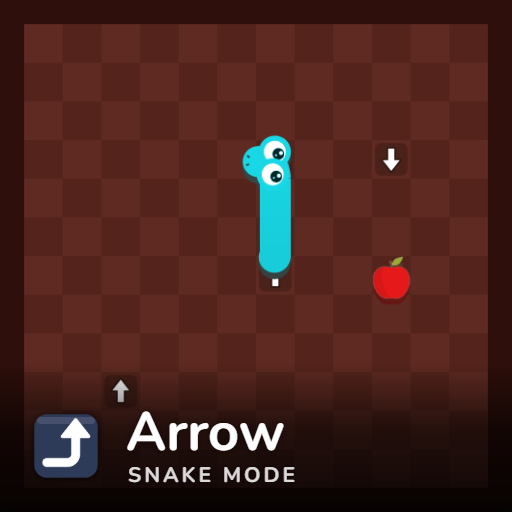
Snake Arrow Mode adds a navigation puzzle to classic Snake: arrow tiles are scattered across the board, and stepping onto one forces your next move in the direction it points. You can avoid the tiles or use them as shortcuts, but every arrow needs to be considered before you enter it.
How Snake Arrow Mode Works
Eat apples to grow your snake and increase your score while avoiding the board edges and your own body. Arrow tiles appear at roughly one per 50 cells. When the snake's head moves onto one, its next step follows the arrow automatically.
This makes planning important. An arrow pointing toward open space can provide a useful turn or shortcut, while one directing you toward your body or the edge can create a dangerous situation. Arrows never appear on the border or directly beside another arrow, and apples cannot land on them.
There is one unusual exception: an arrow pointing directly back toward the direction you came from does nothing. A snake cannot reverse into itself, so your current direction remains unchanged.
How to Play
Press Play or an arrow key to start on a computer, then use the arrow keys to steer. On a phone or tablet, swipe to control the snake. If you press a turn while the snake is on an arrow tile, that input waits one step before taking effect.
You can also adjust the experience with different fruit types, apple quantities, normal, fast, or slow speed, small, medium, or large boards, 11 snake colors including rainbow, and six board themes. Best scores are saved separately for each combination of mode, apples, speed, and board size.
Related Snake Modes
Other Snake variants change the rules in different ways. Snake Cheese Mode lets the snake cross its own body through thin sections, while Snake Shield Mode absorbs the next crash and gives you a chance to turn. Snake Magnet Mode pulls nearby apples toward the snake's head.